What Size Inverter Does a 30-PC School Computer Lab Actually Need?
To keep 30 standard school desktops and network gear running through a two-hour load-shedding slot, you need an 8kW inverter and at least 10kWh of lithium battery storage. Attempting to back up 3D printers will double your costs—here is how to plan a staged, SGB-friendly backup instead.
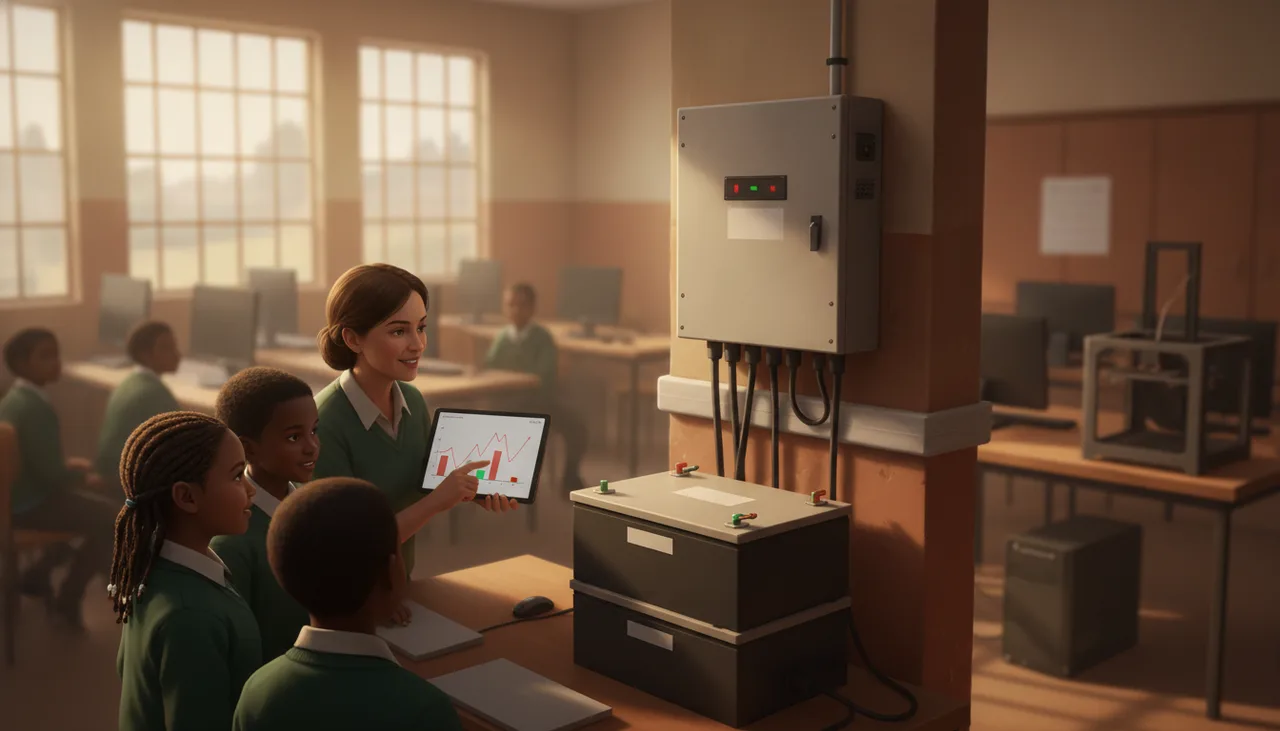
To keep a typical South African school computer lab of 30 desktop PCs, a teacher’s station, and the local network running through a standard two-hour load-shedding slot, you need an 8kW inverter and a minimum of 10.24kWh of lithium iron phosphate (LiFePO4) battery storage.
If you attempt to add even two or three 3D printers to this backup system, your budget will collapse. Heating elements in 3D printers draw massive resistive loads that require a much larger inverter and rapidly deplete expensive battery capacity.
Before your School Governing Body (SGB) signs off on an expensive, oversized solar or backup quote, you need to understand the real-world power draw of your lab and why a staged, pragmatic approach is almost always the best financial decision.
The Real-World Math of a 30-PC Lab
Many solar installers use generic formulas that overestimate school power needs, leading to inflated quotes. Others underestimate the load, leading to systems that trip the moment a class sits down. To find the right balance, we must calculate the actual continuous load of your equipment.
- Standard Desktop PCs: A typical school desktop (a mid-range tower plus a 19-inch LCD monitor) draws between 80W and 120W under normal classroom use (coding, web browsing, or office applications). We will use an average of 100W per station. For 30 learners, that is 3,000W (3kW).
- The Teacher’s Station and Projector: The teacher’s PC draws 100W, and a standard classroom projector draws roughly 250W to 300W. Together, this adds 400W.
- Networking Equipment: The lab’s network switch, Wi-Fi access point, and fibre router draw a continuous 50W to 100W.
Without any 3D printers, your baseline continuous load is approximately 3.5kW.
To run a 3.5kW load for a standard 2-hour load-shedding slot, you need 7kWh of usable energy. However, inverters are not 100% efficient (most operate at around 90% efficiency), and lithium batteries should not be routinely discharged to absolute zero. To ensure the system survives a full 2-hour slot without shutting down, you require at least 10.24kWh of battery capacity (typically configured as two 5.12kWh rack-mounted batteries).
Why 3D Printers are Budget Killers on Backup Systems
A 3D printer is essentially a highly controlled, high-precision glue gun. To melt plastic filament, it must heat a brass nozzle to roughly 200°C and a print bed to 60°C. This heating process relies on resistive heating elements.
While a 3D printer may only draw 50W while idling or maintaining temperature, it draws between 250W and 350W during the initial heating phase. If a teacher starts a lesson and has five learners heat up five 3D printers simultaneously, that represents an immediate 1.5kW spike in demand.
"Backing up heating elements like 3D printers, laminators, or laser cutters on a school battery system is an incredibly expensive mistake. You are paying premium battery prices to generate basic heat."
Adding 3D printers to your active backup system forces you to buy a larger inverter (at least 12kW) to handle the startup surge, and double your battery capacity to prevent the printers from draining the system before the lesson ends. This can easily add R40,000 to R60,000 to your installation cost.
The practical solution: Keep your 3D printers on the main municipal grid line, bypass the inverter entirely, and schedule your 3D printing tasks outside of load-shedding hours. If a print job is critical, many modern 3D printers feature a "resume print after power loss" function that allows the print to pause safely and resume when the grid returns.
The Staged, SGB-Friendly Backup Strategy
Most schools cannot afford a R120,000 capital outlay for a full lab backup system in a single budget year. A staged approach allows you to secure the most critical functions first, expanding the system as funds allow.
| Stage | What is Powered | Continuous Load | Inverter Size | Battery Capacity | Estimated Cost (Incl. Installation) |
|---|---|---|---|---|---|
| Stage 1: Core Only | Network, Router, Teacher PC, Projector | ~450W | 3kW (Single Phase) | 2.56kWh | R25,000 – R35,000 |
| Stage 2: Hybrid Lab | Network, Teacher PC, Projector, 10 Student PCs | ~1.45kW | 5kW (Single Phase) | 5.12kWh | R50,000 – R65,000 |
| Stage 3: Full Lab | Network, Teacher PC, Projector, 30 Student PCs | ~3.45kW | 8kW (Single Phase) | 10.24kWh | R95,000 – R120,000 |
By starting with Stage 2, for example, a school can ensure that at least a third of the class can continue working during power cuts, or that assessment tasks (like practical exams) can proceed without disruption. If your school is currently planning a lab refresh, choosing energy-efficient endpoints like mini-PCs or laptops instead of traditional desktop towers is the single best way to lower your eventual backup costs; our team can assist with this planning through our lab sourcing and setup services.
Crucial Infrastructure Considerations for Schools
Before you accept any installer's quote, ensure your school has addressed these three common failure points:
- WPA2-Enterprise Wi-Fi Dropouts: School Wi-Fi networks that use enterprise authentication often take 5 to 10 minutes to reboot and re-authenticate devices after a power dip. Your inverter must have a seamless transfer time (less than 10 milliseconds) to ensure the network switch and router never register the power cut, keeping learners connected without interruption.
- Physical Security and Ventilation: Inverters and lithium batteries must be housed in a secure, locked room to prevent theft and vandalism. However, they also generate significant heat under load. Placing them in a tiny, unventilated server cupboard will lead to thermal throttling and premature battery degradation. Ensure the installation area is well-ventilated and dust-free.
- SGB Compliance and CoC: Any solar or backup installation in a South African school must be accompanied by an official Certificate of Compliance (CoC) issued by a registered electrical contractor. Without this, your school's structural insurance will be voided in the event of an electrical fire.
If you need help auditing your current school infrastructure, designing a realistic power budget, or sourcing robust hardware that fits your SGB budget, explore our school support services to see how we help South African schools navigate these technical transitions safely.