What is MQTT, and why does every school IoT lesson suddenly need a broker?
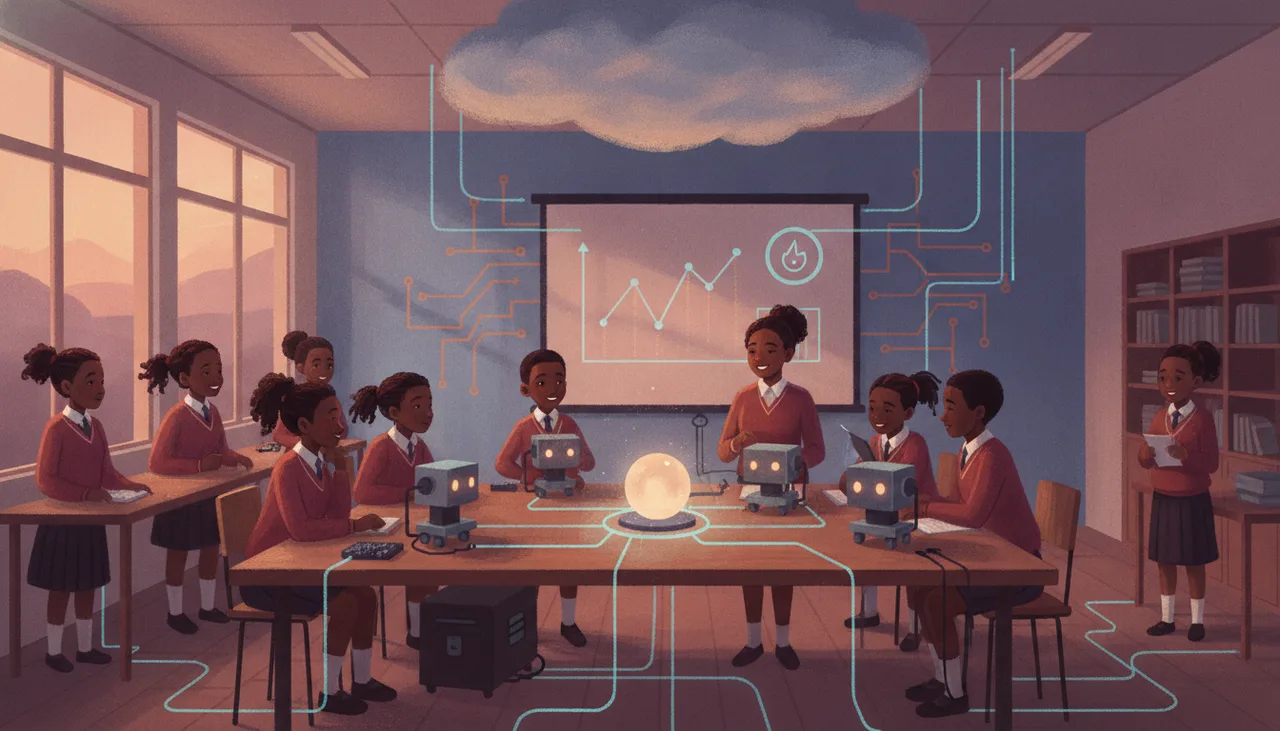
MQTT is a lightweight messaging protocol that allows classroom microcontrollers to share data without direct peer-to-peer connections. By routing traffic through a central broker, it bypasses restrictive school firewalls and prevents devices from crashing under network load.
If you have recently looked at a CAPS-aligned Coding and Robotics syllabus, or tried to design an Internet of Things (IoT) practical for your classroom, you have likely run into the acronym MQTT and the requirement for an "MQTT broker." To an IT teacher or a busy technology coordinator, this can feel like unnecessary complexity. Why can't a microcontroller, like an ESP32 or a Raspberry Pi Pico W, simply send its sensor data directly to a student's laptop or phone over the local Wi-Fi network?
The short answer is that direct device-to-device communication is fragile, resource-heavy, and almost entirely incompatible with school network security. MQTT (Message Queuing Telemetry Transport) solves this by separating the sender of the data from the receiver, routing all messages through a central manager called a broker. It is the industry standard for industrial IoT, and it is increasingly essential for classroom physical computing.
The Classroom Notice Board: Understanding Pub/Sub
To understand why MQTT works, imagine a classroom of 40 learners. If every learner who wanted to know the current outdoor temperature had to walk over to the one learner sitting next to the window and ask, "What is the temperature?", that window-seater would spend the entire lesson answering repetitive questions instead of doing their own work. If ten more learners wanted to know when the next break was, they would have to interrupt the teacher directly.
Now, introduce a notice board in the hallway. The window-seater writes "Temperature: 22°C" on a sticky note and pins it under the heading "Weather". The teacher pins "Next Break: 10:30" under "Schedule". Anyone who wants to know the temperature or the break time simply walks to the board and reads it. The window-seater does not know or care who is reading the temperature; they simply post the update. The readers do not need to disturb the window-seater.
This is the Publish/Subscribe (Pub/Sub) model that MQTT uses:
- The Publisher: The microcontroller with a sensor (the window-seater) that sends data to the broker.
- The Subscriber: The dashboard, phone app, or database (the learners reading the board) that wants to receive that data.
- The Broker: The central server (the notice board) that receives messages from publishers and routes them to the correct subscribers.
The Technical Core: Topics, Retained Messages, and Last Wills
MQTT relies on three core concepts to keep communication efficient and reliable, even over poor wireless connections.
1. Topics: Messages are not sent to specific devices; they are published to "topics." Topics are structured with forward slashes, creating a hierarchy like school/lab1/temp or home/garden/moisture. A device can subscribe to a highly specific topic, or use wildcards to listen to multiple topics at once. For example, subscribing to school/+/temp allows a single dashboard to display temperature readings from every lab on campus.
2. Retained Messages: Normally, if a sensor publishes a reading and no one is subscribed at that exact millisecond, the message is lost forever. If a student opens their dashboard app five minutes later, they see a blank screen until the sensor transmits again. By setting the "retained" flag on a message, the publisher tells the broker: "Keep this last value on file. The next time anyone subscribes to this topic, give them this value immediately." This is critical for slow-changing data, such as soil moisture or water tank levels.
3. Last Will and Testament (LWT): Microcontrollers in South African classrooms face frequent, sudden disconnections due to load-shedding, flat batteries, or learners accidentally pulling out power cables. When a device first connects to the broker, it registers a "Last Will" message (for example, Topic: status/sensor1, Message: offline). If the device suddenly loses power without sending a clean disconnect signal, the broker detects the broken connection and automatically publishes the "Last Will" message on the device's behalf, alerting the rest of the system that the hardware is offline.
Three Things That Go Wrong on a School Network
While MQTT is robust, implementing it in an educational environment requires navigating the realities of school IT infrastructure. Three common failure modes regularly disrupt classroom lessons:
Common School Network Failures
| Network Feature | Why It Exists | How It Breaks the IoT Lesson |
|---|---|---|
| WPA2-Enterprise Security | Protects school networks by requiring individual student usernames and passwords. | Standard microcontrollers (like basic ESP8266 chips) cannot easily negotiate Enterprise security protocols out of the box, preventing them from joining the Wi-Fi. |
| Access Point (AP) Isolation | Prevents students from hacking or accessing each other's laptops over the local Wi-Fi. | Blocks local peer-to-peer traffic. If you run an MQTT broker on a Raspberry Pi in the classroom, student devices on the same Wi-Fi will be blocked from reaching it. |
| Dynamic IP Churn (DHCP) | Reuses IP addresses to prevent the school router from running out of addresses. | If you do run a local broker on a laptop, its IP address will change regularly. Any microcontroller code with a hardcoded IP address will fail to connect the next day. |
To bypass these local network hurdles, educators generally have to choose between fighting their IT department for custom router configurations, or routing their traffic through an external, cloud-hosted broker that is accessible over standard web ports. For teachers looking for a streamlined, classroom-ready solution that bypasses these local network headaches entirely, the Sheen IoT platform provides a pre-configured, cloud-hosted MQTT environment designed specifically to work within the constraints of school firewalls.
By moving the messaging burden off the microcontrollers and onto a dedicated broker, MQTT ensures that even if a student's code is unoptimised or the school Wi-Fi dips, the classroom's IoT devices can communicate reliably and securely.