
Cross-curricular robotics: projects for math, science and language class
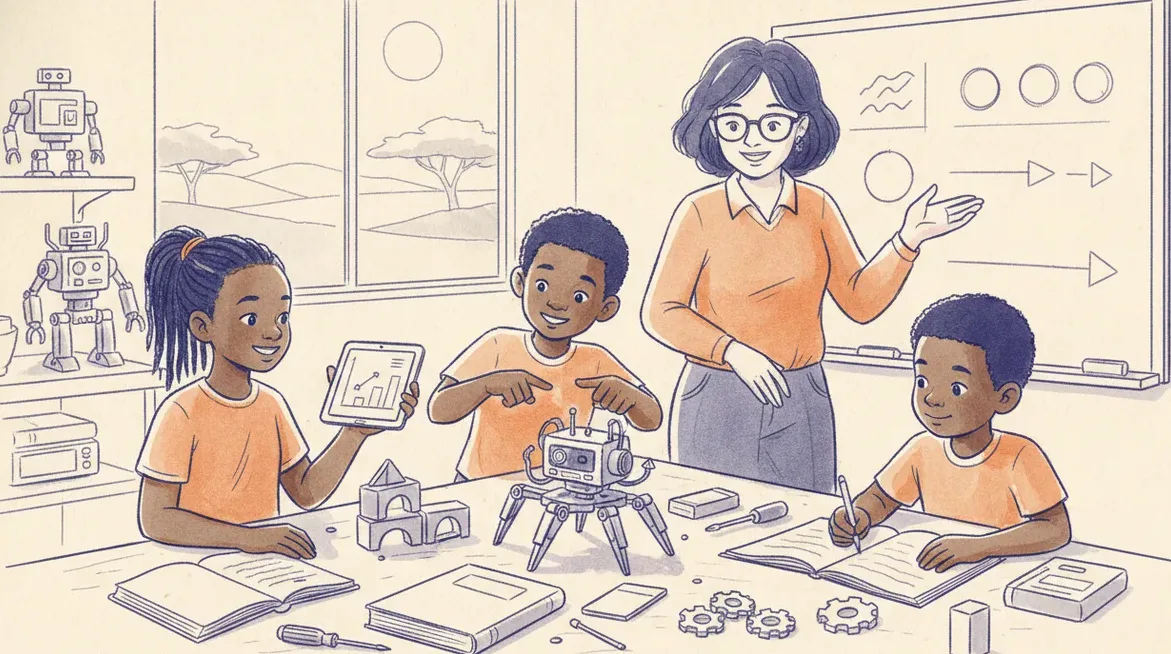
One robot build can carry three subjects: sensor graphs for math, fair tests for science, clear instructions for language, with shared assessment across teachers.
One robot build can carry a math lesson, a science lesson and a language lesson if you plan the links before you plan the code. The trick is to treat the robot as a source of real data and real problems, then let each subject do what it already does well. Math turns the data into graphs. Science tests a claim. Language turns the whole thing into clear instructions. Below are concrete projects for each, plus a way to share the assessment so you are not marking the same work three times.
Plan the links, not just the lesson
Cross-curricular work falls apart when robotics is bolted onto a subject as an afternoon activity. It holds together when one build produces something each subject can genuinely use. Pick a build that measures the world: a line-following buggy, a distance-sensor parking aid, or a small weather station that reads light and temperature. Any of these gives you numbers, a testable question, and a process worth writing down.
Keep the build simple enough that the interesting work happens after it moves. A robot that drives in a straight line is not the lesson. The lesson is the graph of how its speed changes on carpet versus tile, the fair test that produced that graph, and the instruction sheet a classmate could follow to repeat it. Choose the build for the data it creates, not for how impressive it looks. Sensor projects on a board like the sheenbot∞ are a good fit here because the same code that drives the robot can print live sensor values you can capture.
Math: turn sensor readings into graphs
Sensors produce numbers over time or over distance, which is exactly what a graph is for. Have learners log a light sensor as they move a torch closer, or a distance sensor as the robot approaches a wall, then plot the results. This lands squarely in the CAPS data-handling strand: choosing axes, setting a sensible scale, deciding between a line and a bar chart, and reading a trend off the shape of the curve.
Push past plotting into interpretation. Ask what the average reading was, where the value changed fastest, and what a straight versus curved line tells you about the relationship. A distance sensor slowing as the robot nears a wall is a live picture of rate of change that many learners find easier to grasp on a robot than on a textbook page. If you want readings collected over hours or days, such as a classroom temperature log, a data-logging setup like sheenIoT can post values to a dashboard the class reviews the next morning, which turns one lesson into a week of data.
Science: build a fair test
Robotics makes the fair test concrete because the variables are physical and easy to control. Take a question with a real answer: does floor surface change how well the line follower tracks a line? Learners keep the robot, the code and the line the same, change only the surface, and run each condition a few times to check the result is not a fluke.
Walk the full method every time. Learners write a prediction, name the variable they are changing and the ones they are holding constant, record results in a table, and then decide whether the data supports their prediction. When a trial fails, that is not a broken lesson, it is a result. A sensor that misreads under bright classroom lights is a genuine finding about controlling conditions, and it teaches more than a run that works first time. This is the same investigative loop the science curriculum already asks for, now with a robot supplying the evidence.
Language: write the instructions and the write-up
The strongest language tie-in is procedural writing. Ask each group to produce a build-and-run guide precise enough that another group could follow it without help, then actually swap guides and watch what breaks. Learners quickly discover that "connect the sensor" is not an instruction and that steps must be ordered, numbered and specific. That is sequencing, audience awareness and technical vocabulary doing real work.
Add a short reflective or explanatory piece alongside the instructions: a paragraph explaining what the graph shows, or a note on why one design beat another. For older learners, a persuasive pitch recommending their design to the class covers argument and evidence. The documentation is not busywork tacked on at the end. It is the record that makes the science and math legible to anyone outside the group.
Share the assessment across subjects
The efficiency of a cross-curricular unit comes from one artefact being marked once by each subject on its own rubric. The graph earns a math mark for accuracy and interpretation. The fair-test write-up earns a science mark for method and reasoning. The instruction sheet earns a language mark for clarity and structure. Learners do a single body of work; three teachers assess the slices they own.
To make this fair, agree the boundaries before the unit starts. A quick planning meeting settles who marks what, what each rubric weights, and how a shared portfolio is submitted so nobody double-counts or leaves a gap. Moderating together afterwards is also lighter, because everyone is looking at the same evidence from a different angle. Schools that want help structuring this kind of joint unit can look at a school programme that builds it into the timetable rather than leaving it to one keen teacher.
A checklist for planning the unit
- Pick one build that measures something, so every subject draws from the same data.
- Write the assessment first: one artefact, three rubrics, agreed weightings.
- Math owns the graph and its interpretation, not just the plotting.
- Science owns the fair test: prediction, controlled variables, repeat trials.
- Language owns instructions plus a short explanatory or reflective piece.
- Build in time for one round of swapping and repeating another group's work.
- Treat failed runs as data, and mark the reasoning, not just the working robot.
Takeaway
Cross-curricular robotics is not about squeezing three subjects into one busy lesson. It is about letting one build produce data that math graphs, science tests and language explains, then marking that work once per subject. Start with a single measured build and a shared rubric, and the connections between the subjects do most of the teaching for you.
Do we need a class set of hardware to start?
No. You can run the math and language halves with a handful of shared kits on a rotation, and learners can prototype and test their code in a browser simulator like verse before touching a robot, so a whole class can work at once even with limited kits.
Which subject should lead the unit?
Let the build decide. A data-heavy weather station leans toward math and science leading, with language documenting; a design-and-explain challenge leans toward language and science, with math checking the numbers. Rotate the lead across the year so no single subject always carries the planning.


