micro:bit vs ESP32: Which Microcontroller Should Your School Actually Buy?
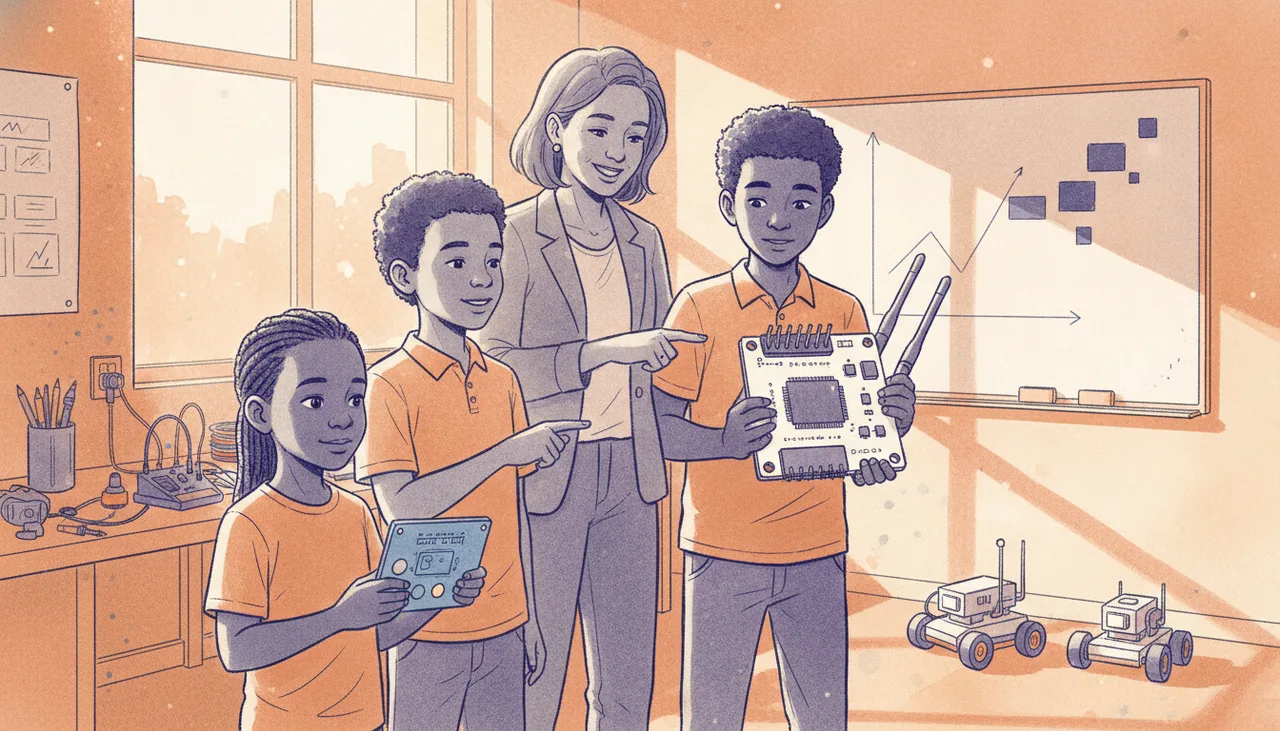
For primary schools, the BBC micro:bit’s built-in sensors and rugged design make it the clear winner. For high schools tackling serious IoT and robotics, the low-cost, high-pinout ESP32 is the smarter long-term investment.
The short answer is simple: if you are teaching primary school learners (Grades 4 to 7), buy the BBC micro:bit. Its out-of-the-box usability, built-in sensors, and indestructible design are worth every Rand. But if you are teaching high school learners (Grades 8 to 12) or running a multi-year robotics programme, the micro:bit will run out of steam by year two. For advanced tracks, the ESP32 is the superior, more cost-effective choice—provided you can manage its steeper learning curve.
The Classroom Comparison
To understand why these two boards suit entirely different phases of education, we have to look at how they perform under the unique pressures of a South African classroom: limited budgets, 45-minute periods, and spotty connectivity.
| Feature | BBC micro:bit (v2) | ESP32 (Dev Module) |
|---|---|---|
| Average Cost (Board Only) | R550 - R650 | R150 - R250 |
| Onboard Sensors & Outputs | 5x5 LED grid, accelerometer, compass, microphone, speaker, temp sensor | None (usually just one status LED) |
| Connectivity | Bluetooth Low Energy (BLE), Radio | 2.4GHz WiFi, Bluetooth Classic & BLE |
| Primary IDEs | Microsoft MakeCode (Blocks/Python), Thonny | Thonny (MicroPython), Arduino IDE, Wokwi |
| GPIO Pins Available | 3 usable general-purpose pins (without breakout) | Up to 25 usable GPIO pins |
Where the micro:bit Wins: The First 5 Minutes
The micro:bit’s greatest strength is that a learner can write their first program and see a physical result within five minutes of opening the box. Because the board includes a 5x5 LED matrix, two tactile buttons, an accelerometer, and a speaker, you do not need to wire up a single external component to teach the basics of inputs, outputs, and conditional logic.
In a 45-minute school period, this is a lifesaver. You do not spend 30 minutes troubleshooting loose jumper wires or broken breadboards. Furthermore, the micro:bit’s edge connector is highly durable. While the bare gold teeth can be damaged, the board itself has no exposed header pins to bend or snap in a learner's schoolbag.
Programming the micro:bit is equally seamless. Microsoft MakeCode runs entirely in any web browser, works offline, and requires no driver installations. If your school uses Chromebooks or locked-down Windows laptops where learners cannot install software, MakeCode bypasses the IT department entirely.
Where the micro:bit Runs Out of Steam
The micro:bit is a brilliant educational tool, but it is a poor robotics controller. If you want to build a mobile robot, you immediately hit its physical limitations:
- The Pin Bottleneck: The micro:bit only has three easily accessible general-purpose input/output (GPIO) pins (Pins 0, 1, and 2) that work with standard crocodile clips. If you want to connect two motors and an ultrasonic distance sensor, you run out of pins. You are forced to buy an external motor driver shield or breakout board, which immediately doubles the cost of the setup.
- The Cost of Scaling: At R550+ per board, equipping a class of 40 learners with individual micro:bits is a major capital expense. When you add the necessary robot chassis, motor drivers, and sensors, the cost per workstation easily climbs past R1,500.
The ESP32: The High School Powerhouse
The ESP32 is not an educational toy; it is an industrial-grade microcontroller used in commercial IoT devices. This brings massive advantages for high school learners tackling serious engineering projects:
- Unmatched Pin Count: With over 20 usable GPIO pins, a learner can control multiple motors, read from a dozen sensors, drive an LCD screen, and still have pins left over.
- True IoT Capability: The onboard WiFi allows learners to build actual web servers, send sensor data to the cloud, or control their robots via a custom smartphone web page.
- Unbeatable Price-to-Performance: At roughly a third of the price of a micro:bit, a school can purchase three ESP32 boards for the price of one micro:bit, leaving more budget for high-quality motors, chassis, and sensors.
The Real-World Friction of ESP32
Before you buy a box of cheap ESP32 boards, you must acknowledge the friction points that can derail a classroom:
- The Driver Nightmare: Many cheap ESP32 boards use the CH340 USB-to-serial chip. Windows laptops often require manual driver installation to recognise these boards. If your school laptops are locked down by administrative privileges, your first lesson will be spent waiting for the IT administrator to enter passwords.
- The School WiFi Barrier: While the ESP32 has powerful WiFi, connecting it to a typical school network is incredibly difficult. Most schools use WPA2-Enterprise security (requiring both a username and password), which is notoriously complex to configure in MicroPython or C++. If your curriculum relies on cloud connectivity, you may need to set up dedicated, isolated router hotspots in your lab.
- Fragility: ESP32 developer boards have exposed, sharp header pins. If a learner forces the board into a breadboard backward or drops it into a messy storage bin, pins bend, and chips short-circuit.
The Year 3 Verdict: What Can They Still Do?
If you look at progression over three years, the trajectory is clear. By Year 3, a learner using a micro:bit has likely grown tired of the 5x5 LED screen and block-based coding. They want to build complex, real-world systems, but are physically restricted by the hardware.
By contrast, a Year 3 learner using an ESP32 is writing clean MicroPython or C++ code, building autonomous navigation systems, or hosting local web servers to control home automation models. The ESP32 does not have a ceiling; it is the same chip they will use if they go on to study engineering at university or build their own hardware startups.
For schools that want the raw power of the ESP32 but dread the mess of breadboards and loose wires in a short lesson, we designed the Sheen Infinity ecosystem. It bridges this exact gap, bringing the robust, plug-and-play reliability of the micro:bit to the high-performance ESP32 architecture, ensuring your hardware survives the classroom while still giving learners room to grow.
The Final Recommendation
If your budget is tight, your learners are under 13, and your lessons are short: Buy the micro:bit. The lack of friction is worth the premium price.
If you are teaching high school, preparing learners for the CAPS Coding and Robotics curriculum, or want to build complex, connected robots that last three years of curriculum progression: Buy the ESP32. Just be prepared to invest the time in setting up Thonny and managing the initial hardware setup.