
A class of 35 and kits for 10: rotation strategies that work
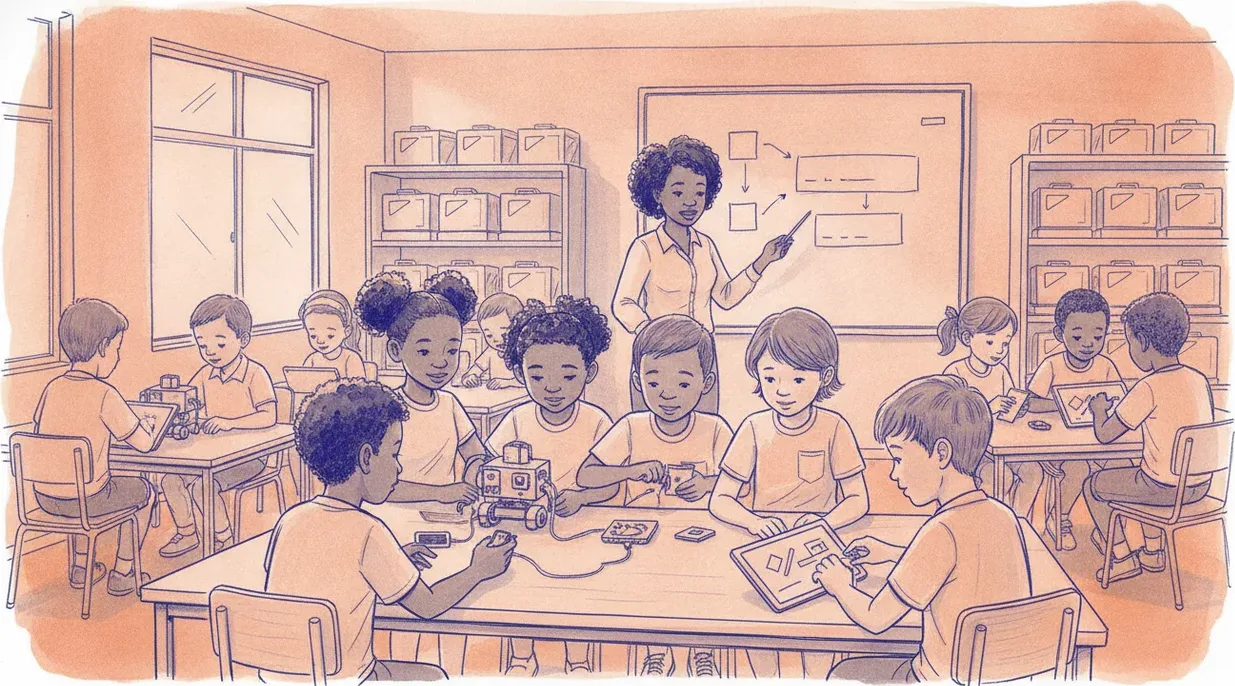
Ten kits can teach a class of 35, and often better than one-per-child. The method is deliberate rotation: fixed groups, rotating roles, and a split between screen work and hardware.
The short answer is yes: one class set of ten kits can serve a class of 35, and if you run it well it teaches more than a kit-per-child ever would. The trick is not squeezing more children around each board. It is deliberate rotation: fixed small groups, roles that move around the group, and a clean split between screen work and hardware so no group is ever sitting idle. Here is how to run that without the room descending into noise.
The maths of a class set
Start with the ratio. Thirty-five learners and ten kits gives you groups of three to four. That is not a compromise; it is close to the ideal size for collaborative robotics. Groups of two often split into one driver and one passenger, and groups of five leave someone with nothing to hold. Three or four learners is enough hands to share the work and few enough that everyone has a job.
Plan your groups before the lesson, not on the day. Mix confidence levels so each group has someone who reads instructions carefully and someone who is happy to experiment. Keep the groups stable for a whole unit so they build a working rhythm, and number the kits so the same group returns to the same board each week. If you are still deciding how many kits to buy for a room this size, our note on sourcing a lab works through the ratios and the spares you should budget for.
Rotate roles, not just kits
The single change that makes group robotics work is giving every seat a named job. Print simple role cards and hand one to each learner at the start of the lesson. For a group of three the three roles are:
- Driver. Handles the hardware. Plugs in the board, connects sensors and motors, presses run, and is the only person allowed to touch the wiring. This keeps loose cables and flat batteries down to one pair of hands.
- Coder. Sits at the screen and builds the program in blocks. The coder does not decide alone; they type what the group agrees.
- Documenter. Records what the group tried, takes a photo or screenshot of each version, and writes one line on why a change was made. This is your assessment evidence and it stops the group forgetting what already failed.
For groups of four, add a tester who predicts what the program will do before it runs and checks the result against the prediction. Rotate the cards every lesson, or halfway through a long lesson, so no learner spends a term as the person who only watches. Within a unit everyone should have driven, coded and documented at least once.
Split the room: simulator and hardware
You rarely need all ten kits live at the same moment, and pretending you do is what creates queues. Split the class in two. Half the groups plan and code on a browser simulator while the other half is on physical hardware, then they swap. A free browser simulator lets the coding half write and test their logic against a virtual board, so when their turn on hardware comes they are debugging a mostly working program rather than starting from a blank screen. The block-coding canvas runs the same way, so the code a group writes in the browser is the code they load onto the board.
This split has a practical bonus in South African classrooms. Laptops and tablets run on their own batteries for a session, so the simulator half keeps working straight through load shedding while the hardware half pauses. It also halves how many boards need to be charged and out at once, which is easier on your storage and your setup time. Give each half a clear signal for the swap, keep the two activities roughly the same length, and the room stays balanced.
Let learners teach learners
With ten groups and one of you, peer teaching is not a luxury; it is how you cover the room. When a group solves a problem first, promote them to floating helpers for that task and send them to groups that are stuck. Learners often explain a fix to a peer more plainly than an adult does, and the act of explaining cements it for the helper too.
A light version of the jigsaw method works well here. Give different groups slightly different sensors or challenges, then have each group show the rest what they worked out. That way ten groups are not all reinventing the same line-follower; they become the class experts on their piece and share it. It also cuts the number of times you personally answer the same question.
Assessment when everyone is doing something different
Rotation makes marking feel harder, because at any moment groups are at different stages. The fix is to assess the process, not only the one robot that happens to work at the bell. Three sources of evidence carry most of the weight:
- The documenter's log. A short record of versions tried and why shows the thinking, even when the final program is unfinished.
- The role record. A simple grid of who did which role across the unit tells you every learner has driven, coded and documented, so no one is hiding.
- A 60-second exit ticket. One question each learner answers alone at the end. This catches the child who was carried by a strong group and rewards the quiet one who understood more than they said.
Keep the rubric short and about behaviour you can see: did the group predict before running, did they change one thing at a time, did they explain their fix. Those habits matter more than whether the robot finished the track, and they transfer to every future project.
Takeaway
Ten kits and 35 learners is a workable, even good, ratio once you stop thinking of a kit as one child's toy and start treating it as a shared workstation. Fixed groups of three or four, rotating role cards, a simulator-and-hardware split, and a little peer teaching turn a shortage into a structure. If you want to see the pieces in action before committing, you can try the simulator free in a browser and read how we lay out a shared robotics room in our lab sourcing guide.
How many kits do I really need for a class of 35?
Ten is comfortable for groups of three to four. Eight still works if you run a firm simulator-and-hardware split, since only half the class is on boards at once. Below that the queues start to bite and learners lose focus while waiting.
What happens when a kit breaks mid-lesson?
Keep one or two spare boards and a small bag of spare cables, motors and batteries aside; budgeting roughly 10 to 15 percent of your kit cost for spares over a year is sensible. If a board fails, that group moves straight to the simulator until it is swapped out, so the lesson never stalls.


